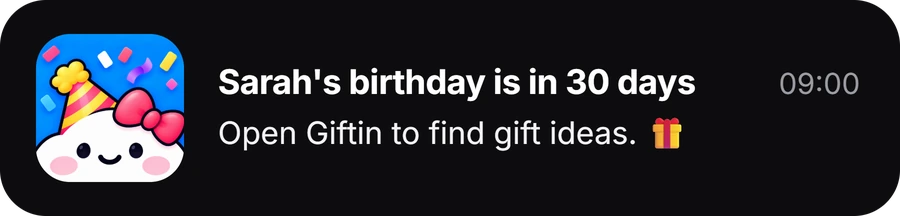
On Android, the cleanest built-in setup is usually Google Contacts, not a manually repeated Calendar event. Save the date on the contact as a birthday, anniversary or custom date, then add notifications for the day itself, 2 days, 7 days or 14 days before, at the time of day you choose. For a lot of people, that is enough.
Set a birthday or anniversary reminder in Google Contacts
- 1Open the personOpen Contacts and choose the contact.
- 2Contact settings → RemindersThen tap New reminder.
- 3Choose the labelBirthday, Anniversary or Custom, and add the date.
- 4Pick timings and a timeTick the notifications you want, set the time of day, save.
Google says significant-date reminders need the contact to be saved in your Google Account, and notifications have to be added at least 24 hours before the date.
Make sure Contacts notifications are allowed
If the reminder exists but nothing appears, check that Android is not blocking it. Google’s current path is Settings → Apps → Contacts → Notifications → Reminders.
Phone manufacturers label menus slightly differently, but the principle is the same: Contacts cannot show the notification if Android is blocking it.
Choose reminder timing by what you need to do
Day of is fine if you only need to send a message. 7 or 14 days before works for many normal gifts.
If the gift needs customisation, international delivery, childcare, travel or a scarce booking, 14 days may still be late. Use a separate Calendar event or another reminder tool that can start earlier. Anniversaries often need that extra lead time.
Birthday vs anniversary vs custom date
Google Contacts treats all three as significant dates, but they do not behave the same.
| Date type | Automatic in-app reminder | Optional notifications |
|---|---|---|
| Birthday | Yes | Day of, 2, 7, 14 days |
| Anniversary | Yes | Day of, 2, 7, 14 days |
| Custom date | No | Only if you add them |
If the date matters, add the notification instead of assuming the label is enough.
Use Google Calendar when the date behaves more like an event
A yearly Calendar event is useful when you want more event detail, shared calendars or invitees, a location, multiple notifications, or a date that is not naturally attached to one contact.
Google Calendar also supports birthday events, with a reminder a week before and on the day, and more notifications available. You do not need to use both Contacts and Calendar for every person.
Keep one reliable date
If Dad’s birthday is saved in Contacts, Calendar and a spreadsheet, one copy can become wrong. Choose one place to update the date. Use another tool when it helps with reminders, notes or gift planning.
The date and its reminders
Significant dates attached to the person, with notifications up to 14 days out.
The shared plan
A reservation, an invitation, a location, or an event other people need to see.
The person around the date
Notes, past gifts, saved ideas and planning for the occasion.
Two example schedules
Choose or order at 14 days. Finish or switch to a faster plan at 7. Call or message on the day. Google Contacts handles this directly.
Contacts stops at 14 days, so use a recurring Calendar event or a reminder app like Giftin that can start earlier.
When a dedicated reminder app helps
A dedicated app is useful when the problem is no longer just the date. Giftin supports birthdays, anniversaries, weddings, graduations and custom occasions, with notes, preferences, past gifts, saved ideas and early and final reminders beside the person. To add someone from your contacts, pick them in Android’s contact picker, then add their birthday in Giftin.
That helps when the date is not the problem, but everything you meant to do before it is: the booking, the gift and the card.
If Android reminders are not working
Why is my Google Contacts birthday reminder not showing?
Check four things: the contact is saved in your Google Account, the significant date is saved correctly, you selected notification timings, and Contacts reminder notifications are allowed in Android settings.
Can Google Contacts remind me more than 14 days before?
Not currently. The options are the day itself, 2, 7 or 14 days before. For an earlier planning reminder, use a recurring Calendar event or a dedicated reminder app.
The reminder arrives, but too late. What is wrong?
Nothing is broken. The timing is wrong. Move the planning reminder earlier or use a tool that lets you do that.
Do anniversaries get reminders automatically?
Google says birthdays and anniversaries get in-app reminders automatically. Custom dates only notify you if you add notifications.
Sources and research notes
- Save & edit significant dates in Google Contacts. Google Contacts Help, Android.
- Manage birthdays on your calendar. Google Calendar Help, Android.
Checked September 2026. Menu labels vary by phone manufacturer.

Remember the person, not only the date.
Giftin keeps birthdays, anniversaries and custom occasions beside the notes and past gifts you will want when the reminder lands.
Download Giftin