Google Calendar is enough if a date alert is all you need. Giftin keeps the date too, and adds what you know about the person: their interests, your notes, past gifts and gift ideas. People, dates and reminders are free in Giftin as well.
What Google Calendar does well
Google Calendar handles birthdays well:
- A yearly repeating event takes about fifteen seconds to create.
- Advance notifications can be set to any lead time you want.
- Birthdays already in Google Contacts can surface without a second list.
- It is on every device you own and you look at it anyway.
What each one does
- The date, reliably
- Any lead time you set
- Already on every device
- Free, no account to add
- One note field per event
- The date, saved with the person
- Two reminders: one to decide, one to finish
- Interests, notes and things to avoid
- What you gave them before
- Gift ideas when you are stuck (optional, paid)
Google Calendar is enough if
- You buy for a handful of people and already know what they like.
- The gift decision is easy once you remember the date.
- You keep notes somewhere you can actually find them again.
- You would rather keep everything in the calendar you already use.
Giftin helps if
- You remember in time but still do not know what to get. Giftin keeps their interests and your notes next to the date, and can suggest ideas when you are stuck.
- You cannot remember what you gave last year. Giftin keeps past gifts on the person, so you can check before you buy something again.
- You hear good ideas months before the birthday. They mention a book in March. Save it to their Giftin profile then, and you can find the title when their birthday comes around in October.
- You buy for a lot of people. Family, friends, colleagues, partners of friends. Giftin gives each person their own record with dates, notes and gift history, instead of one long list of calendar events.
- You want reminders tied to the gift plan. One reminder to decide and order, another to check it is ready. A calendar can do two alerts too. Giftin puts them next to your notes and gift history.
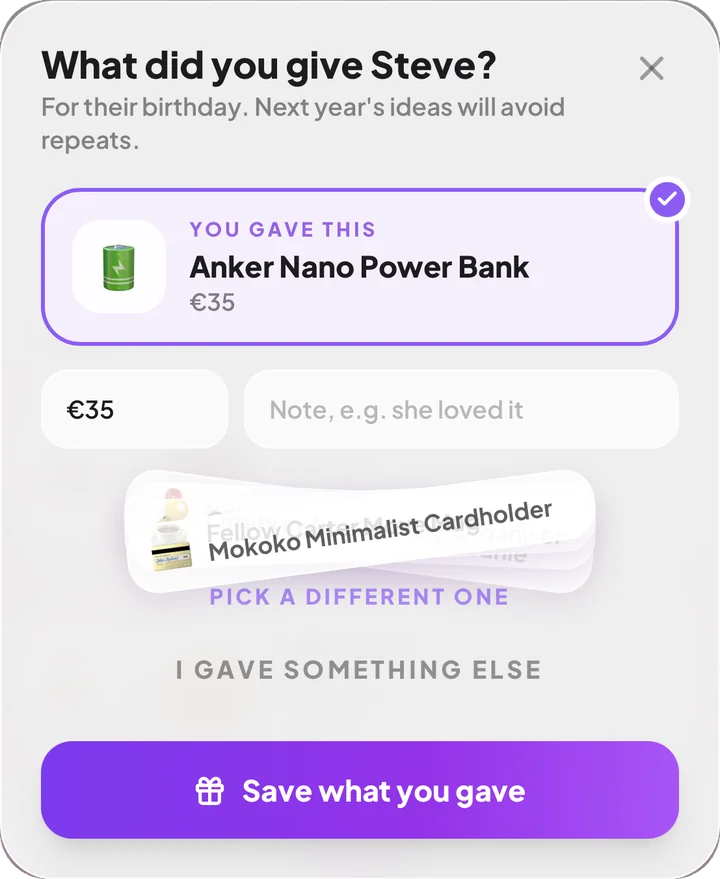 What you gave, logged after the day
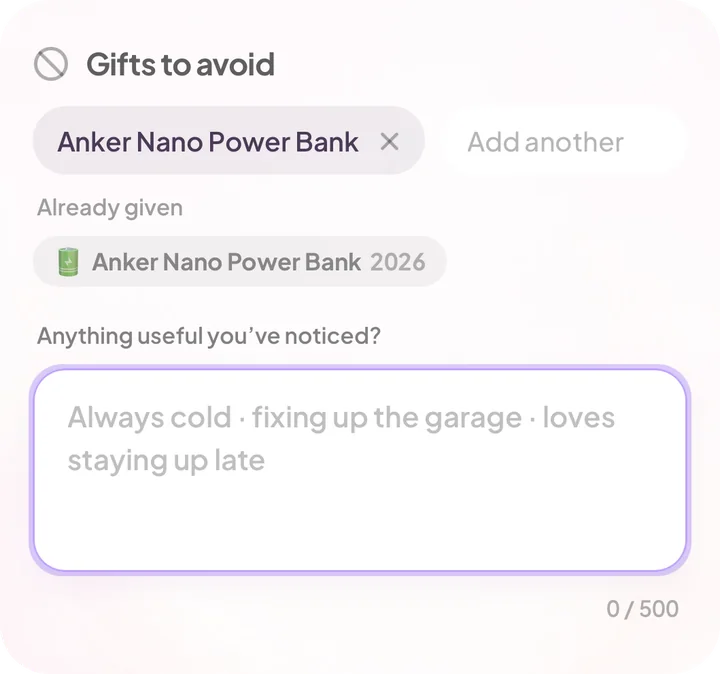 Things to avoid and past gifts, on the person
If you use Google Calendar, set it up like this
An alert on the day is often too late to order or book anything. Add one a month before, while there is still time to plan. Name the event after the next step too: “Order Sarah’s gift” is easier to act on than “Sarah’s birthday”.
How much notice different gifts need is covered in how to remember birthdays early enough.
Using both
Your calendar can hold the rest of your schedule while Giftin holds the birthdays, notes and gift plans. If you keep a birthday in both, check that the date matches when you update it.
Birthdays and other important dates, with each person’s interests, things to avoid and the past gifts you have saved. It is all still there next year.
Work meetings, appointments and the rest of your week. Giftin has its own calendar for birthdays, anniversaries and other occasions.
Questions people ask
Can Google Calendar remind me about birthdays?
Yes. Make it a yearly repeating event with an advance notification, or let Google Contacts add birthdays for you. That covers a simple yearly alert.
Is Giftin free like Google Calendar?
Yes, for dates and reminders. People, dates, reminders, notes, interests and gift history are free, with no limit on how many people you add. Your first 5 personalized gift ideas are free too, made for someone you actually know. More gift idea sets come with a subscription.
Why add a second app when my calendar already works?
If you only need the date, you do not need to. Giftin keeps the rest organised by person: what they like, what you gave them before and ideas for next time.
Can I keep using Google Calendar as well?
Yes. Keep your schedule in Google Calendar and use Giftin for birthdays, notes and gift plans.
What happens if I change phone?
Both survive it. Google Calendar syncs with your Google account, Giftin syncs with Apple or Google sign-in, so your list comes back when you sign in.
What about Apple Calendar?
Everything here applies equally. Apple Calendar handles recurring birthdays and advance alerts, and pulls birthdays from Contacts on iPhone.
Product notes
- Best birthday reminder apps in 2026. The wider comparison, including dedicated birthday apps.
- Giftin Terms of Service. The limits that apply to notifications and suggestions.
Calendar features described here are the standard behaviour of Google Calendar and Apple Calendar at the time of writing. Both change; check the app if a detail matters to your setup.

Keep your calendar. Let Giftin remember the rest.
Dates, reminders, notes and gift history are free in Giftin, for as many people as you want to remember.
Download Giftin