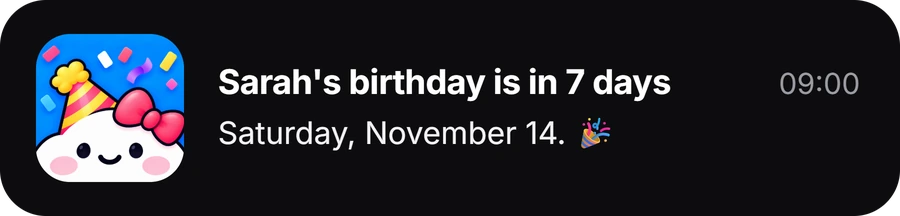
Add the birthday to the person in Contacts, make sure the Birthdays calendar is visible, choose a default birthday alert time, and make sure Calendar notifications are allowed. That gets the date out of your head and into something that repeats every year. For a simple alert, that is all you need.
Check these four in order, especially if birthday alerts are not arriving.
1. Add the birthday to the contact
Open Contacts, choose the person and tap Edit. Add or update their birthday, then save the contact.
The built-in Birthdays calendar pulls from Contacts, so change the date there rather than maintaining a second copy in Calendar. If the birthday is already stored in Contacts, skip this step.
2. Make sure the Birthdays calendar is visible
Open Calendar, tap Calendars at the bottom, and make sure Birthdays is selected.
If the date exists in Contacts but you cannot see it in Calendar, this is the first thing to check. You may see more than one birthday calendar if you also use another account such as Google. What matters is knowing which account holds the contact you want to maintain.
3. Choose when iPhone should alert you
Go to Settings → Apps → Calendar → Default Alert Times → Birthdays and choose the timing that works for you.
A birthday can appear perfectly in Calendar and still be useless if the alert arrives after the useful planning window has closed. If birthdays mostly mean sending a message, a close-to-the-date alert may be enough. If they usually mean buying a gift or booking something, choose a timing that leaves time to act.
Ask yourself: what could I still do when this reminder appears?
4. Make sure Calendar notifications can actually appear
Go to Settings → Notifications → Calendar. Turn on Allow Notifications, then choose where you want Calendar alerts to appear.
If alerts seem inconsistent, also check whether a Focus mode is delaying or silencing them.
When the built-in iPhone setup is enough
Keep it if:
- you already keep Contacts accurate
- one default birthday alert works for most people
- the date is the main thing you forget
- the alert immediately tells you what to do
Want two reminders instead of one?
There are two sensible routes.
Create a normal recurring yearly event for the birthday and use event alerts around it. More control, but you are now maintaining a separate event instead of letting Contacts be the single source. For a few important people, that trade-off may be fine.
Makes sense when you want different reminder stages plus context about the person. Giftin uses an early reminder, a final one and one on the day, with notes, interests, things to avoid, saved ideas and past gifts beside the person.
A simple reminder schedule that works for gifts
Choose the gift, ask a question, coordinate a group gift or book something.
Order, collect, confirm, write the card or switch to a faster plan.
Message, call or turn up.
The exact dates matter less than what each reminder is for: deciding, finishing and showing up.
If birthday reminders are not working on iPhone
Check these in order.
Why is a birthday missing from my iPhone Calendar?
Open the contact and confirm the birthday is saved. Then open Calendar, tap Calendars and confirm Birthdays is visible.
Why does the birthday appear but no alert arrives?
Check Settings → Apps → Calendar → Default Alert Times → Birthdays. Then check Settings → Notifications → Calendar and make sure notifications are allowed.
The notification arrives but I keep missing it. What now?
That is a different problem. Change where Calendar alerts appear or move the planning reminder earlier. If you swipe the alert away and forget what you meant to do, name the event after the next step instead, like “Order Mia’s gift”.
Why do some contacts’ birthdays sync and others do not?
Check which account each contact belongs to and whether those accounts are syncing. Multiple iCloud, Google or work accounts can make one birthday list look inconsistent when the dates actually live in different places.
When a dedicated app helps
The built-in setup is strongest when the date is the whole problem. A dedicated app becomes more useful when the reminder also needs to bring back what they mentioned, what you gave before, what to avoid and what you need to do next. More on that in what a birthday reminder app should actually do.
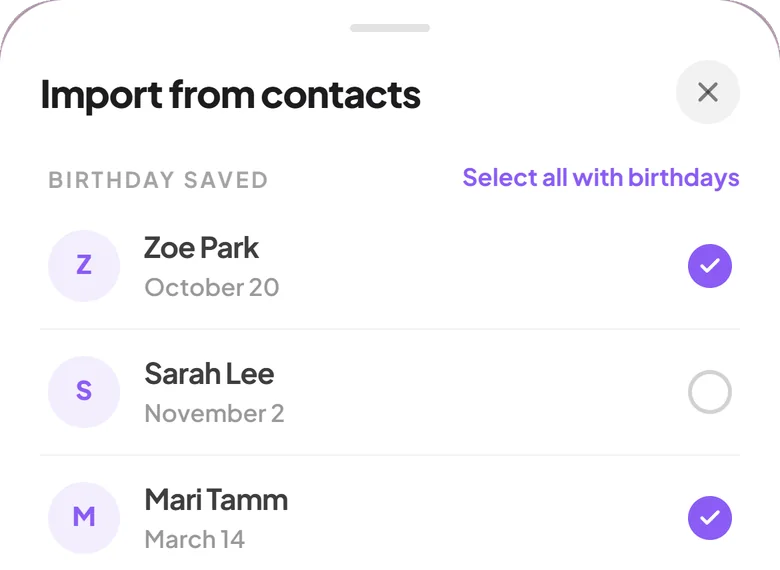
If the birthdays are already in your iPhone contacts, you do not have to type them again. Giftin can import them: contacts with a saved birthday are listed first, and you tick the people you want.
Sources and research notes
- Change your Calendar settings on iPhone. Apple Support, including Default Alert Times for birthdays.
- Keep track of events in Calendar on iPhone. Apple Support.
Menu paths checked September 2026. Apple occasionally moves Settings menus after major iOS releases.
An early reminder and a final one.
Giftin keeps the date, the notes and the past gifts together, so the reminder arrives with what you need to act on it.
Download Giftin